 exo
exoNexo: All-in-One Workspace AI
Turn ideas into reality with multi-model AI support and visualization tools.Supports: macOS, Windows, Linux
Flexible & Cost-Effective
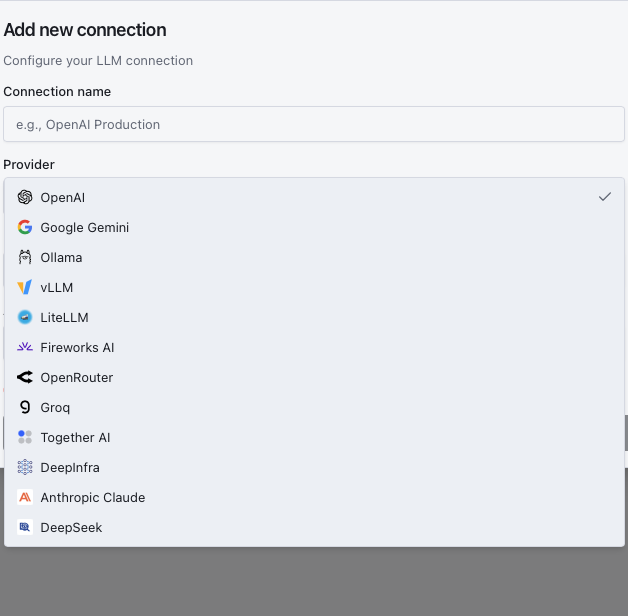
Multi-Model AI (BYOK)
You Have Full Control
Choose the best AI model for your work without being locked into a single provider.Bring Your Own Key (BYOK)
Connect direct APIs from OpenAI, Claude, Gemini, or use Local models (Ollama, LM Studio) for maximum data security.
Quick Model Switching
Easily switch between models (e.g., GPT-4o to Claude 3.5) within the conversation to suit specific tasks.
Direct Payment
No middleman fees. You pay directly to the AI providers based on your actual usage.
Tool Integration
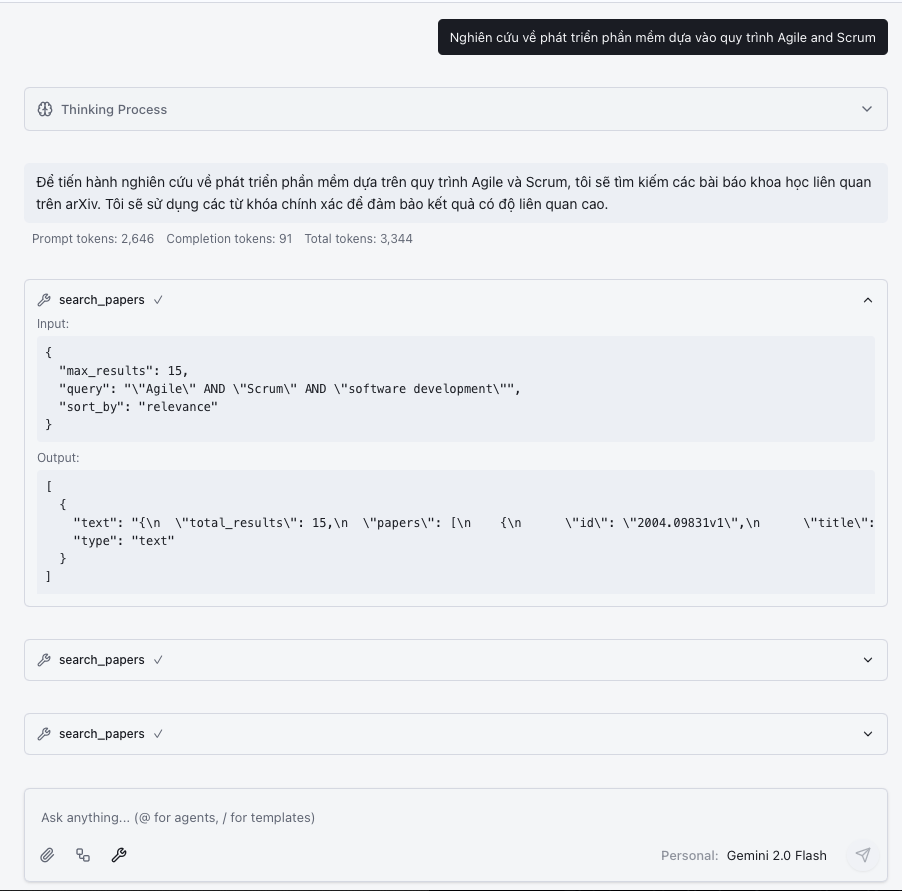
Model Context Protocol (MCP)
A True Work Assistant
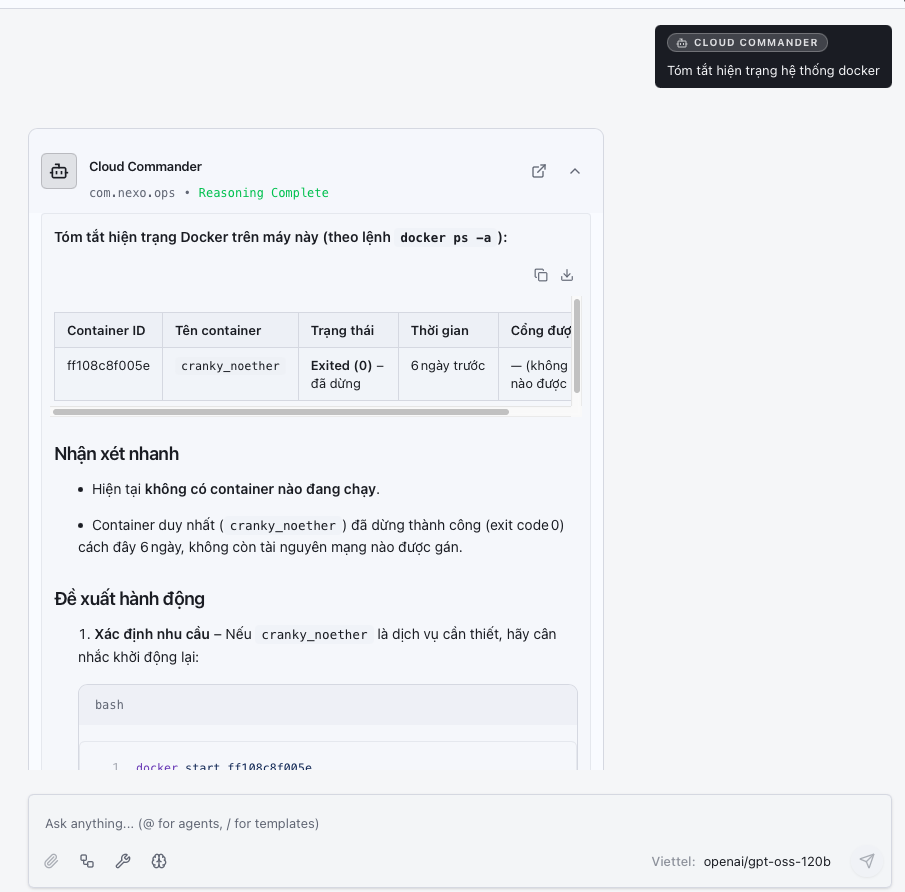
Allow AI to interact directly with your software and data to automate workflows.Task Execution
AI can search the web, send Slack/Teams messages, or create Notion pages instead of just outputting text.
App Connectivity
Integrate AI with your existing work tools via the extensible MCP standard.
Access Control
You grant specific permissions for each AI action, ensuring safety and data transparency.
Visualization
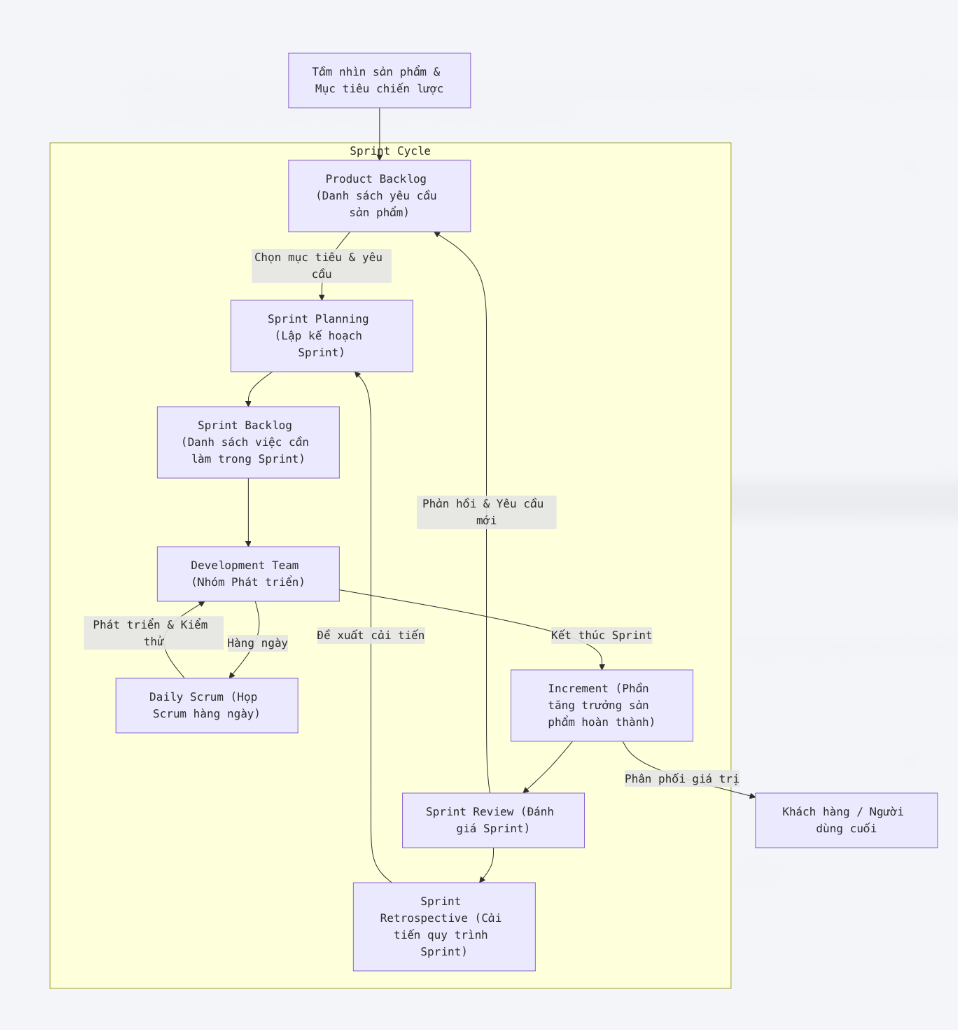
Charts and Flows
Work Visually
Replace lengthy text with easy-to-understand diagrams and illustrations.Flow Editor
Draw process diagrams and logic structures to provide clear context for AI.
Visual Output
AI returns results as dynamic diagrams (Mermaid, UML) or runs code (Python/Node.js) directly within the app.
Minimize Misinterpretation
Visual communication helps AI and users understand intentions faster and more accurately.
Security & Privacy
Local-First Priority
We believe your data is your most valuable asset.
Local Storage
Chat history and Vector Database are stored locally on your machine (SQLite), not on Nexo clouds.
Offline Support
Access history and use Local LLM models anytime without internet access.
Data Transparency
Data is only sent when you explicitly call an LLM provider API (OpenAI, Anthropic...).
Extensibility
Nexo Hub & Agents
Unlimited Extensibility
Leverage community power and programmability to customize Nexo your way.Custom Agents
Create specialized Agents using Python/Javascript to serve your specific tasks.
Call Agents via @mention
Summon Agents into conversation anytime (e.g., @Dev, @Analyst) to help solve problems.
Community Sharing
Download MCP toolkits, Agents, and Prompts shared by the community on Nexo Hub.
Ready to
boost your productivity?
Join the community of pioneers using Nexo today.
macOS - Install via Homebrew:
brew tap nexo-agent/nexo
brew install --cask nexo